
Turn a compatible electric-start generator into an automated backup system.
AutoGen X Pro starts, stops, monitors, and protects compatible electric-start generators through the AutoGen Pro app, web dashboard, local access tools, and approved API integrations. It can start from battery-bank voltage, external trigger signals, schedules, or remote commands, then waits for run confirmation before treating the generator as running.
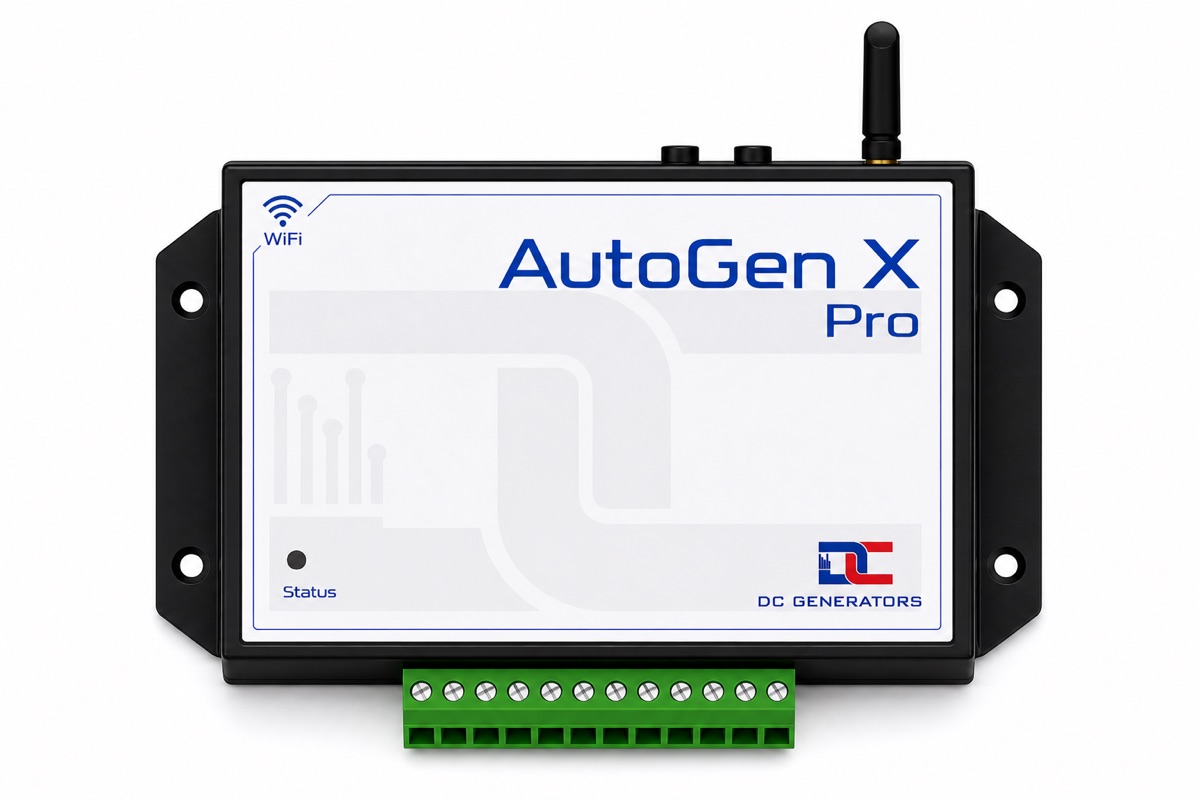
See the controller, terminal side, and installed layout.
These views show the connector, cabinet installation, and labeled controller details so installers, dealers, and support teams can work from the same clear visual reference.
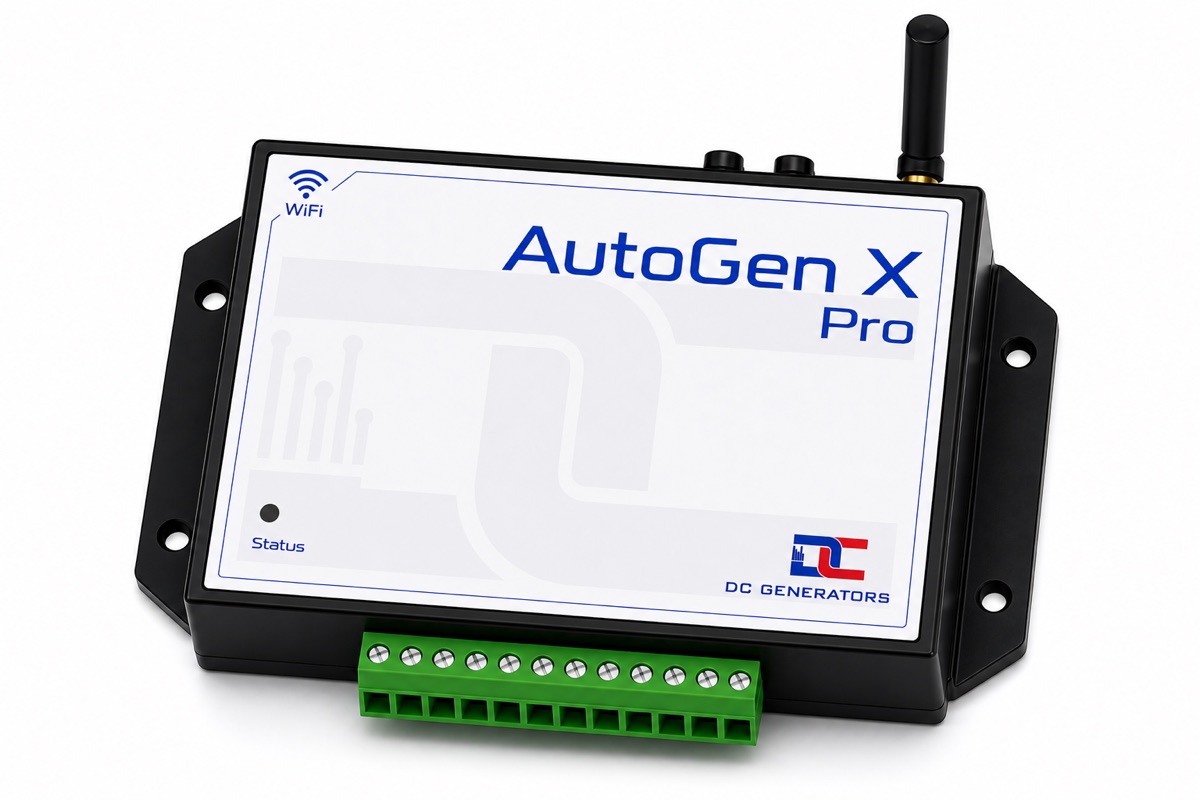
Removable terminal for field wiring
The terminal groups controller power, start and stop relay outputs, voltage sensing, run-confirmation input, and optional control or sensing connections used in X Pro installations.
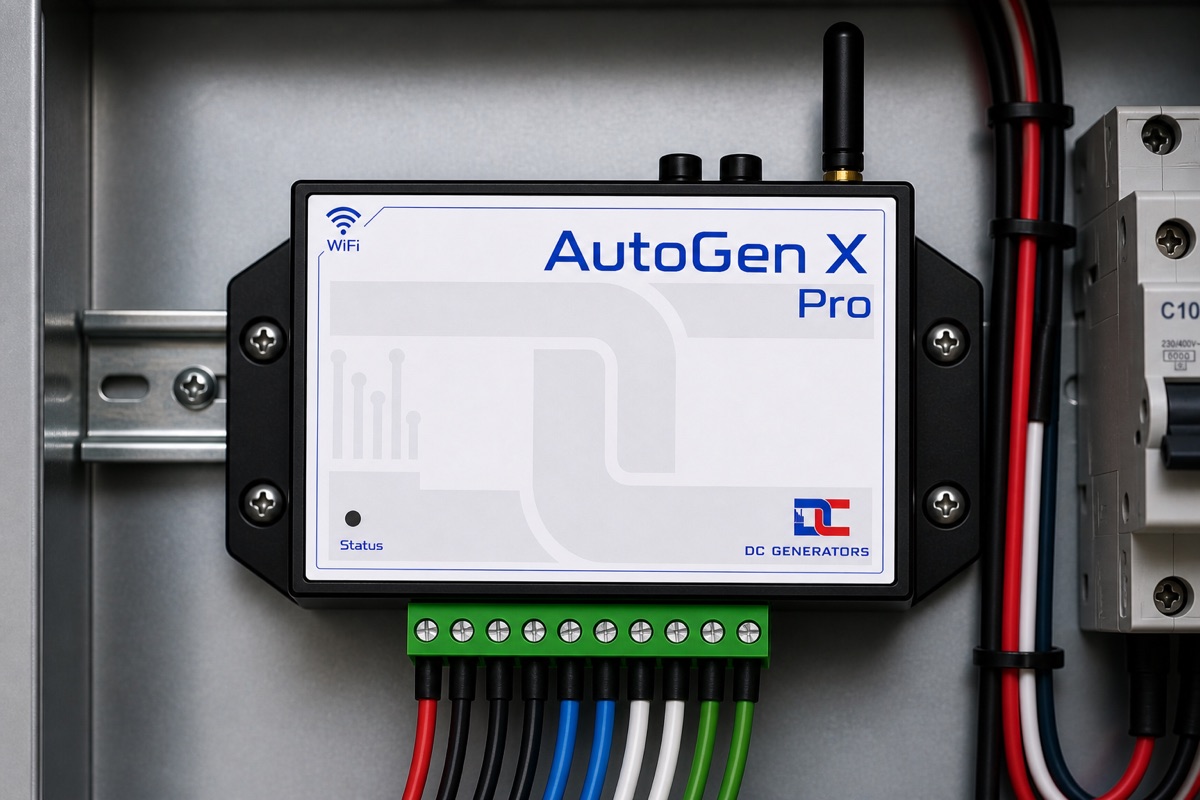
Panel-mounted installation example
The cabinet view shows the controller in the type of environment where it is normally used: near relay wiring, sensing wires, power feeds, and generator control connections.
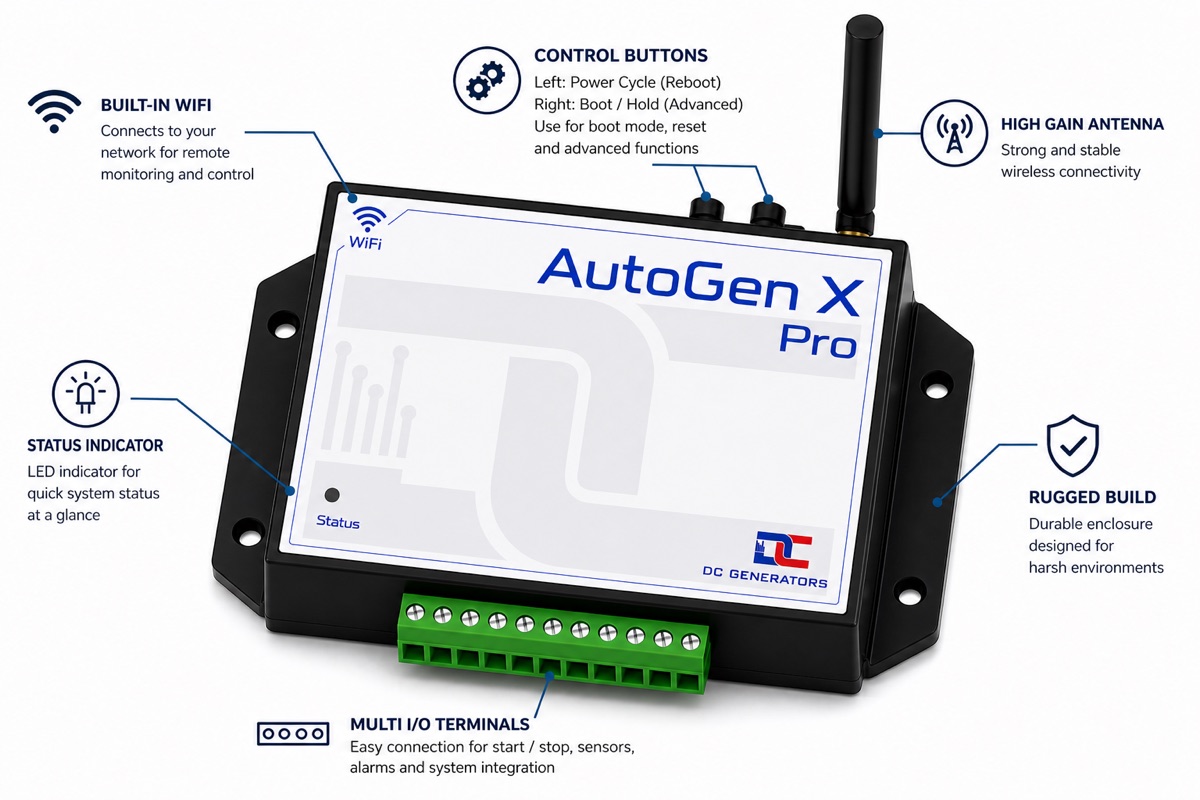
Controls, antenna, LED, and connector position
The labeled view identifies the WiFi antenna, local button controls, status LED area, enclosure, and connector position used during setup, service, and troubleshooting.
Automatic start logic with proof that the generator is running.
X Pro does more than close a relay. It starts from configured conditions, controls the start sequence, waits for a valid run signal, retries when confirmation is missing, and moves into a fault state when the generator does not respond as expected.
Starts from real system conditions
Use battery-bank voltage, an external two-wire signal from an ATS or sensor, a weekly schedule, or an approved remote command to request a generator run.
Confirms the engine actually started
After a start command, X Pro waits for the configured run-confirmation signal before it reports the generator as running.
Retries before declaring a fault
If run confirmation does not arrive, X Pro follows its start retry sequence instead of assuming success or repeating blindly.
Stops from configured rules
X Pro can stop when the battery reaches the configured high threshold, when a scheduled run reaches its duration, when a timed run expires, or when the external trigger condition clears.
Cloud control when online. Local access when nearby.
X Pro is designed for WiFi-connected sites, but commissioning and support do not depend on one path only. Installers can use the AutoGen Pro app, web dashboard, BLE provisioning, and local WiFi access depending on the job.
AutoGen Pro app and web dashboard
Start, stop, reset, monitor live readings, review runtime, adjust supported settings, and manage schedules from the cloud when the controller is online and the account has permission.
BLE setup for commissioning
Nearby BLE setup sends the 2.4 GHz WiFi name and password to the controller and can also report device ID, firmware version, WiFi status, and supported local commands.
Local WiFi AP access
When local access is needed, X Pro can provide a nearby browser or mobile dashboard for live metrics, start/stop/reset controls, supported settings, and local firmware upload.
Scoped API integrations
Approved API tokens can support monitoring dashboards, reporting, service workflows, and controlled integrations without exposing unrestricted device access.
Claim the controller, provision WiFi, then verify live data.
The normal setup path is QR claim, BLE WiFi provisioning, cloud verification, then generator-specific settings for voltage thresholds, run confirmation, schedules, and optional accessories.
Claim the device
Scan the controller QR code in the AutoGen Pro app and give the installation a clear site name.
Provision 2.4 GHz WiFi over BLE
Use nearby BLE setup to send the local 2.4 GHz network name and password to the controller.
Confirm live readings
Open the app or web dashboard and confirm battery voltage, controller state, run signal, runtime, firmware, and other available readings are updating.
Set the operating rules
Configure start voltage, stop voltage, run-confirmation method, external trigger behavior, schedules, runtime limits, temperature thresholds, and optional accessory behavior for the installation.
See how X Pro fits into a real installation.
These installation views show the controller in cabinet and generator-room settings, so you can picture the wiring approach before planning the install.
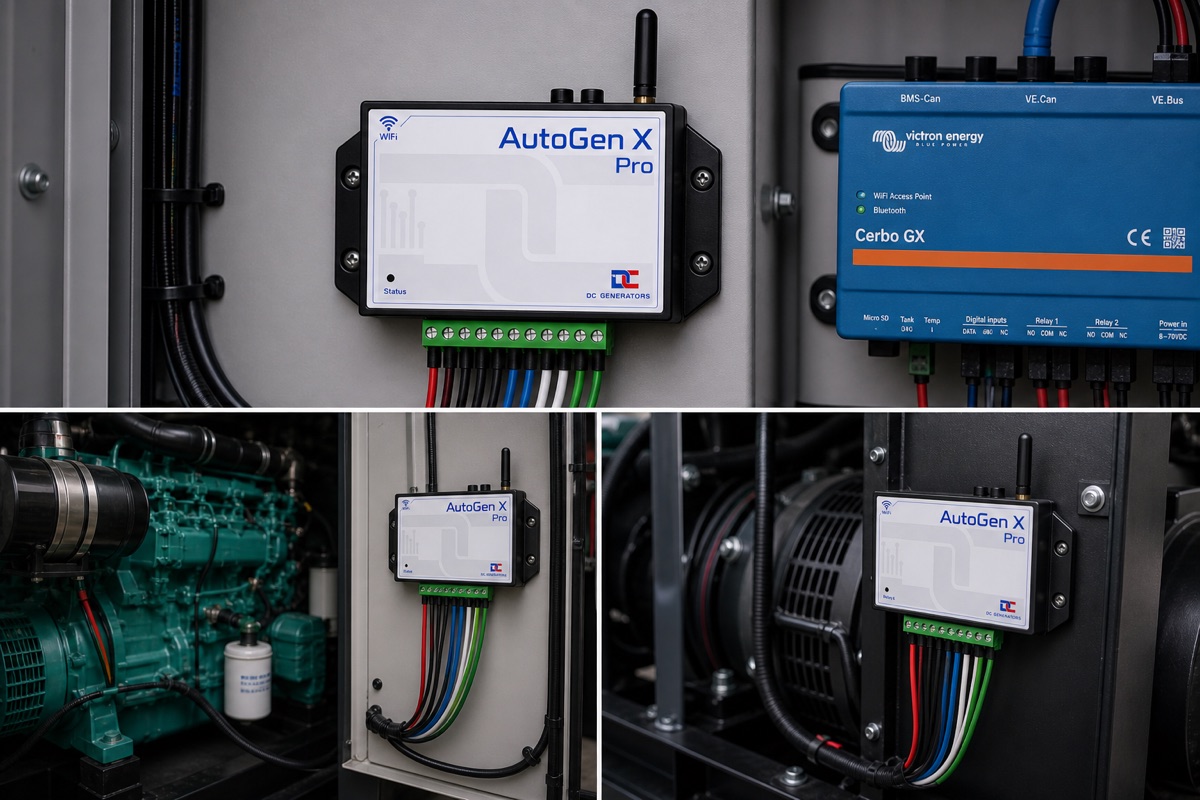
Cabinet and wiring examples.
Some examples showing enclosure space, cable routing, and terminal access.
The AutoGen platform, applied to smart generator automation.
X Pro uses the connected AutoGen platform for live telemetry, schedules, settings, device management, firmware workflows, API access, and dealer support.
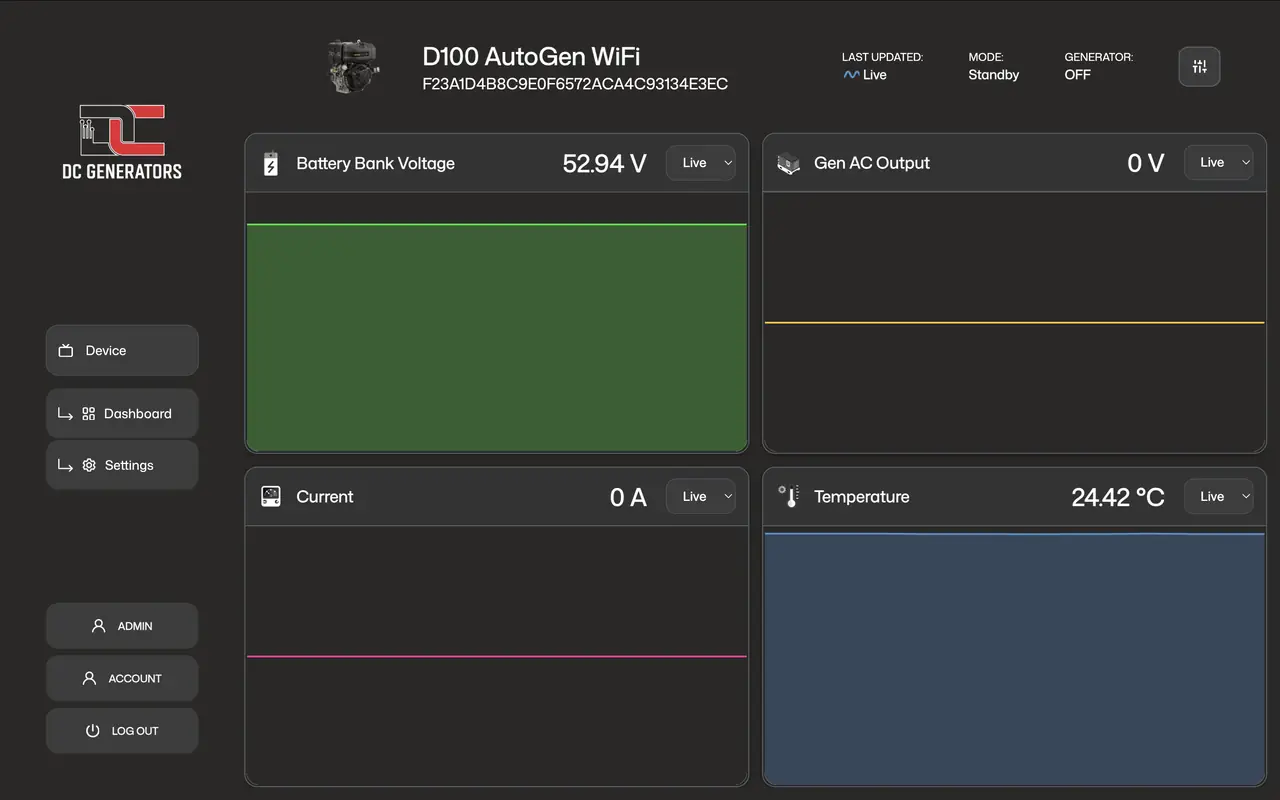
Telemetry dashboard
Live state, voltage, runtime, and operating data help owners and dealers monitor charging behavior clearly.
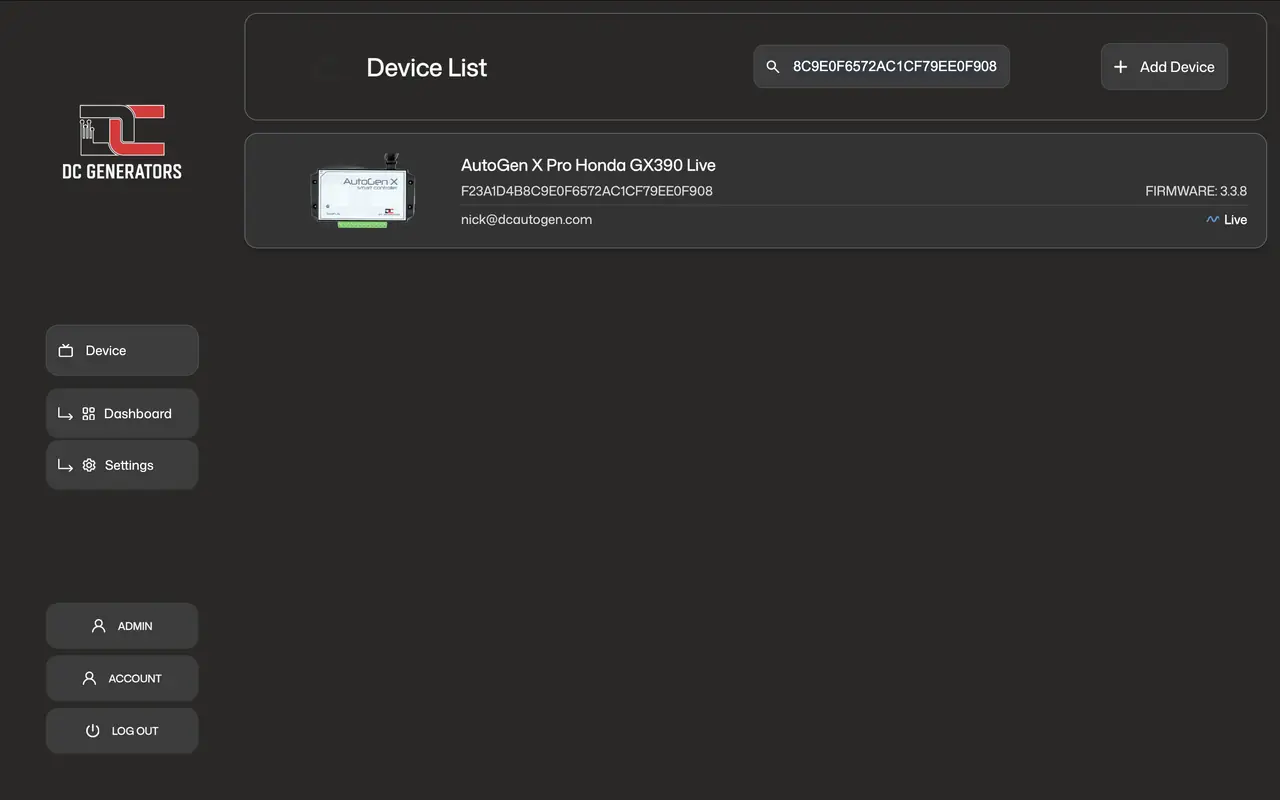
App device access
Owners, installers, and support teams can identify and access the correct AutoGen device quickly.
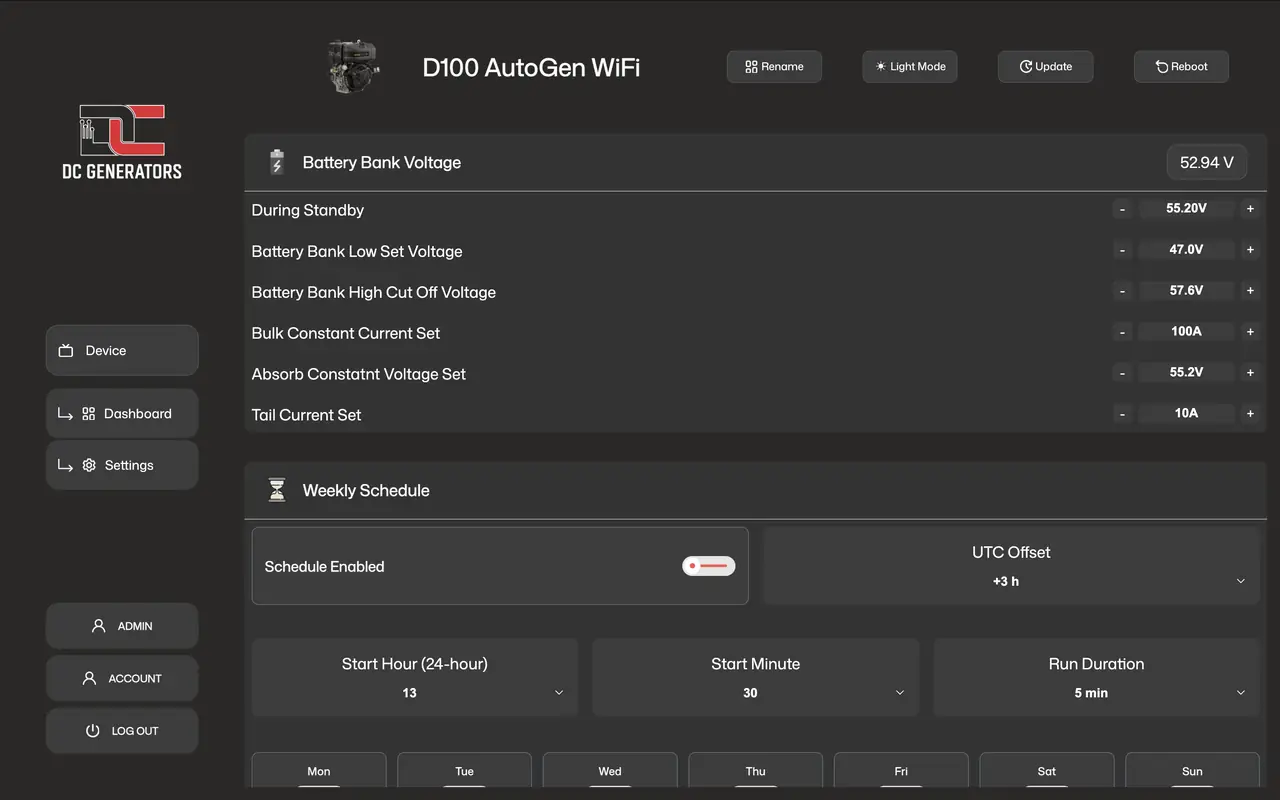
Schedules and settings
Supported settings can cover charging profiles, scheduled runtimes, start and stop behavior, and installed hardware options.
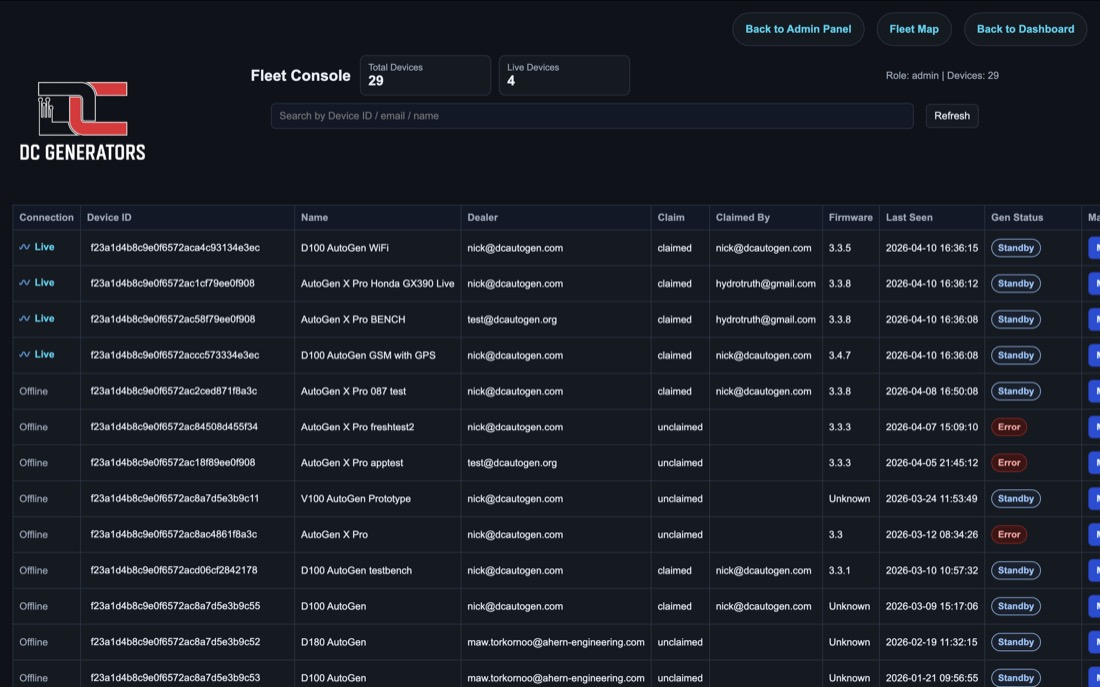
Dealer fleet support
X Pro can fit managed WiFi deployments where remote visibility and service workflows matter.
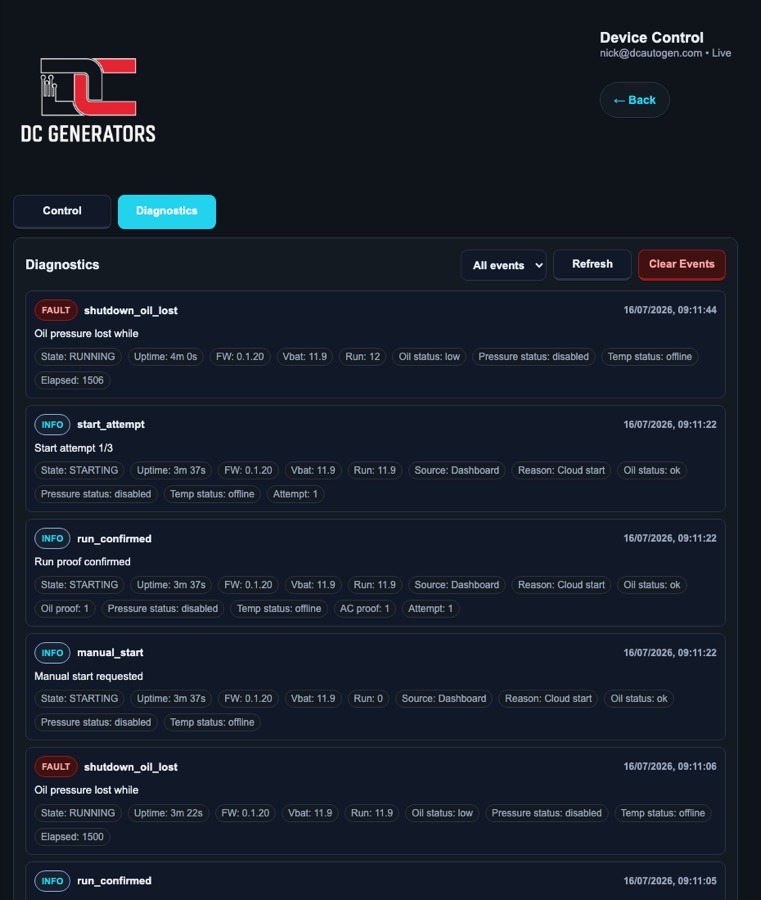
Diagnostic events
Event history helps confirm starts, stops, run confirmation, faults, resets, communication state, firmware actions, and controller behavior during field support.
Ready for dealers, fleets, and custom dashboards.
X Pro can fit simple single-site installations and more structured dealer or fleet operations. Where enabled, scoped access can help service teams, customer dashboards, reporting systems, and controlled integrations.
Dealer-managed support
Dealers can work within their assigned fleet scope to review live status, last seen time, firmware version, generator status, and eligible device management actions.
Firmware rollout workflows
Firmware checks and OTA workflows help support field devices without treating every update as a manual site visit.
API access for monitoring and control
Scoped API tokens allow approved dashboards and integrations to read device telemetry or use supported controls without providing unrestricted access to the controller.
View example API telemetry
{
  "device_type": "x_pro",
  "success": true,
  "telemetry": {
    "battery_voltage": 55.24,
    "run_signal": 230.34,
    "temperature_c": 24,
    "total_hours": "0217:47:12"
  }
}
Choose X Pro when WiFi cloud access is available.
X Pro is the right controller when the generator location has reliable WiFi internet access and the generator has compatible electric-start wiring, stopping method, sensing, and run-confirmation options.
Best fit
Off-grid homes, workshops, cabins, farms, backup systems, and dealer-supported installations where WiFi coverage is available at the generator.
Also useful beyond AC generators
Although X Pro is designed around generator automation, the same start, stop, sensing, and run-confirmation model can apply to compatible electric-start engine-driven equipment such as petrol or diesel water pumps, maple syrup extractor pumps, fire sprinkler pumps, and similar machines.
Use Ultra instead
Choose AutoGen Ultra when the deployment needs LTE cloud access, richer hardware options, or the premium controller path.
Installer references for wiring, settings, and recovery.
Technical references covering terminal wiring, relay connections, BLE commissioning, WiFi Local AP access, controls, schedules, settings, firmware updates, and fault recovery.
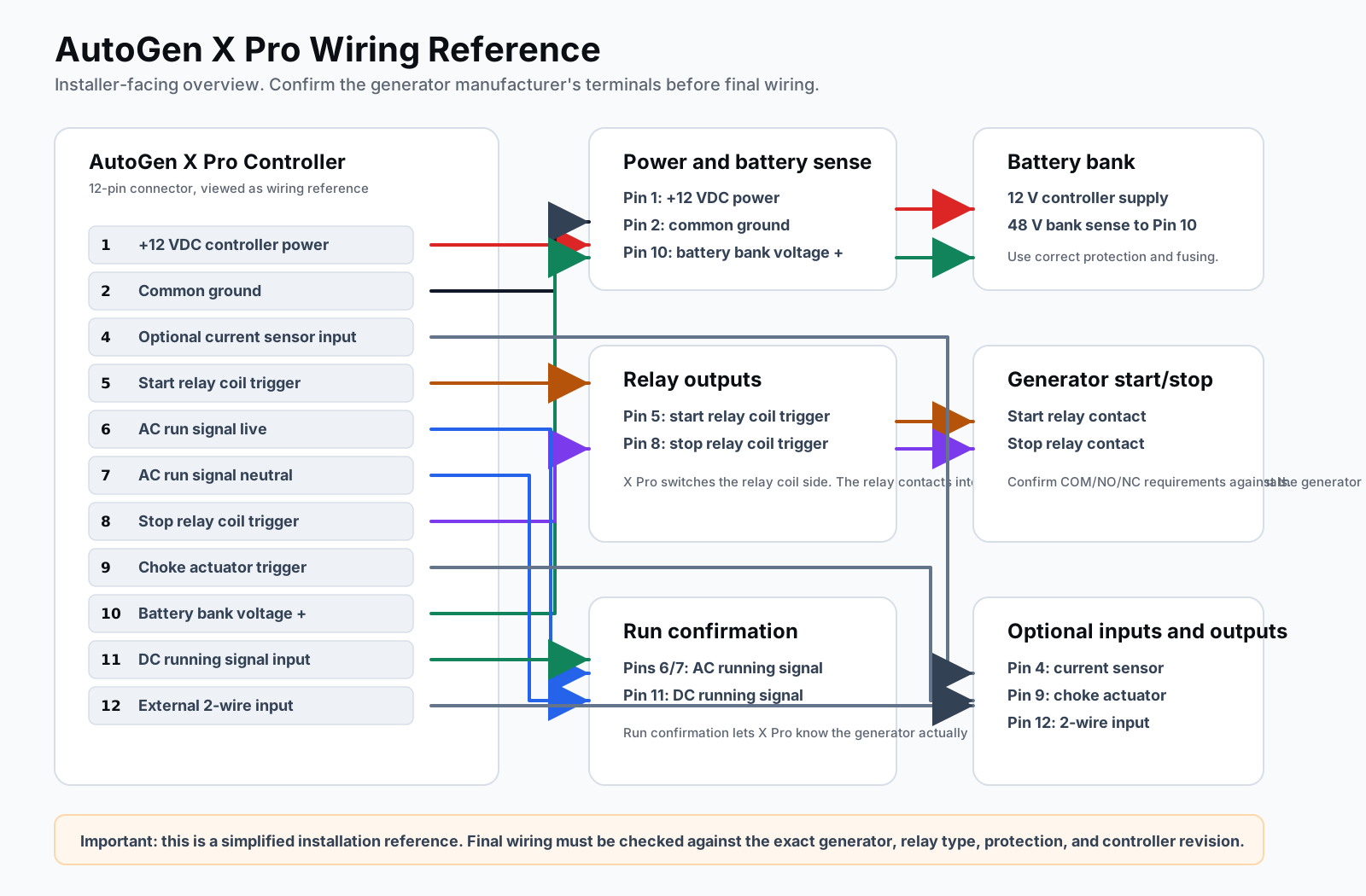
Wiring and relay reference
Use the wiring reference to identify controller power, start relay output, stop relay output, run confirmation, voltage sensing, choke or prime control, and optional sensing connections.
Open wiring reference
BLE setup and local access
Use BLE to connect X Pro to the site WiFi network during commissioning. When internet access is unavailable, WiFi Local AP provides direct nearby access to the controller dashboard from a phone, tablet, or browser.
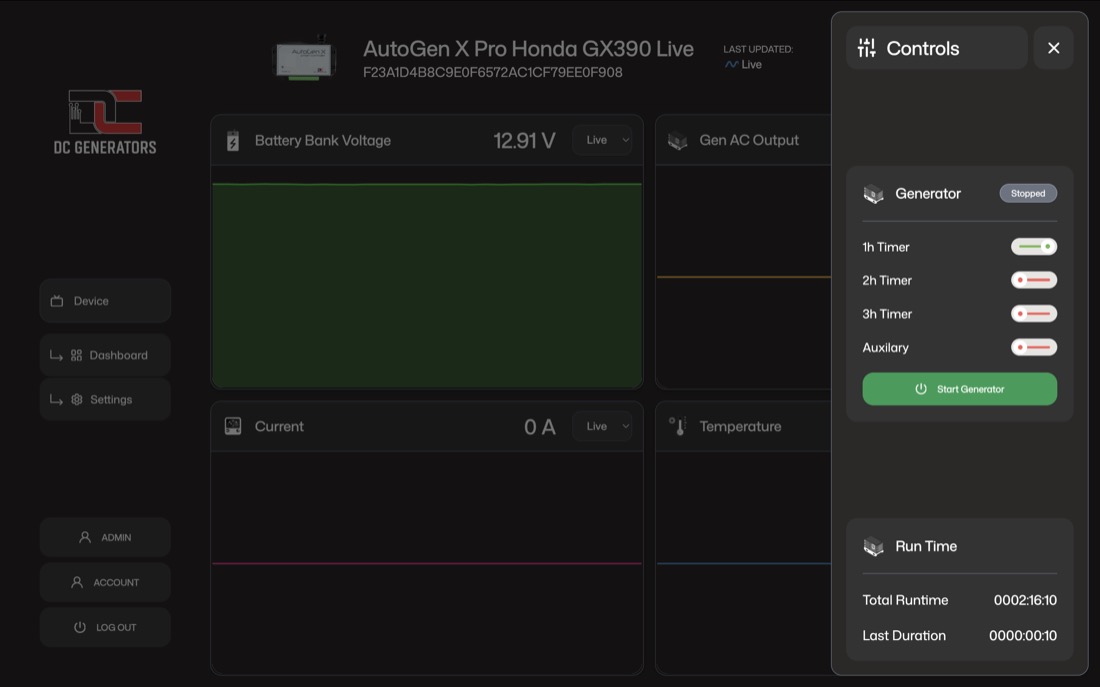
Start, stop, reset, and standby controls
The main control action changes with controller state: start from standby, stop while running, or reset after a fault. X Pro still waits for confirmation instead of assuming the command succeeded.
View controls screenshot
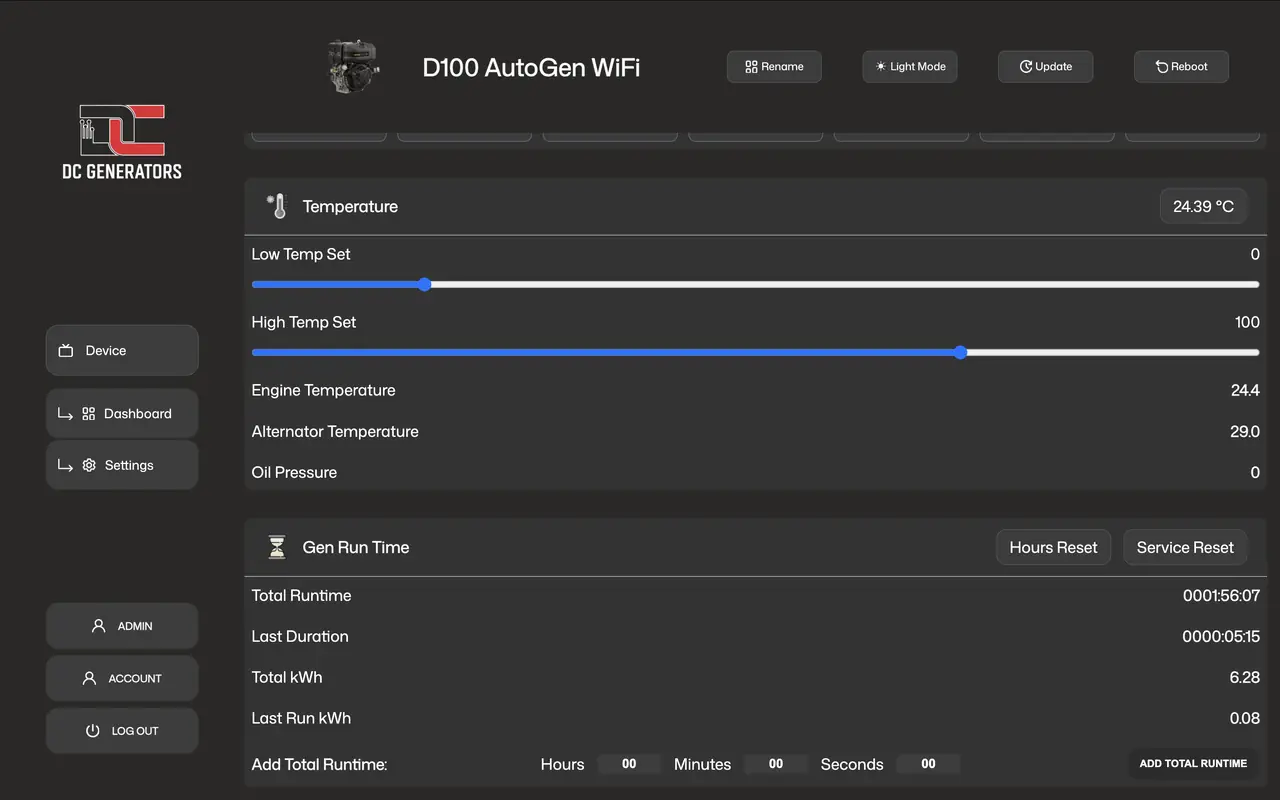
Voltage, temperature, schedule, and runtime settings
Settings can include start voltage, stop voltage, run confirmation method, external trigger behavior, weekly schedules, runtime limits, temperature thresholds, and accumulated runtime service records.
View settings screenshot
X Pro questions that affect installation decisions.
These answers cover the choices that matter before ordering: WiFi availability, generator compatibility, run confirmation, remote permissions, and accessory selection.
Does X Pro need WiFi for cloud access?
Yes. X Pro is the WiFi cloud controller. BLE is used nearby for WiFi provisioning and setup, while WiFi Local AP can provide direct nearby browser or mobile access when the site does not have an internet path.
Can X Pro start, stop, and reset remotely?
Yes. When X Pro is online, a user with control access can start, stop, or reset the generator from the AutoGen Pro app or web dashboard.
What happens if start confirmation never arrives?
X Pro retries according to its configured start logic. If repeated attempts do not produce reliable running proof, it enters a fault state instead of continuing blindly.
Can X Pro work with equipment other than generators?
Yes, when the equipment is compatible with the controller's start, stop, sensing, and run-confirmation requirements. The main use is generator automation, but suitable electric-start engine-driven pumps and similar equipment can also be considered.
Which accessories affect the installation?
The Choke Linear Actuator helps automate generators with manual choke or lever movement. The waterproof relay kit is useful when the installation needs protected external NO/NC/COM switching.
Not sure whether X Pro fits your generator?
Send the generator model, start and stop method, battery voltage, WiFi availability, run-confirmation option, and any choke or accessory requirements.
info@dcautogen.org